Why each AI agent must act on behalf of one user
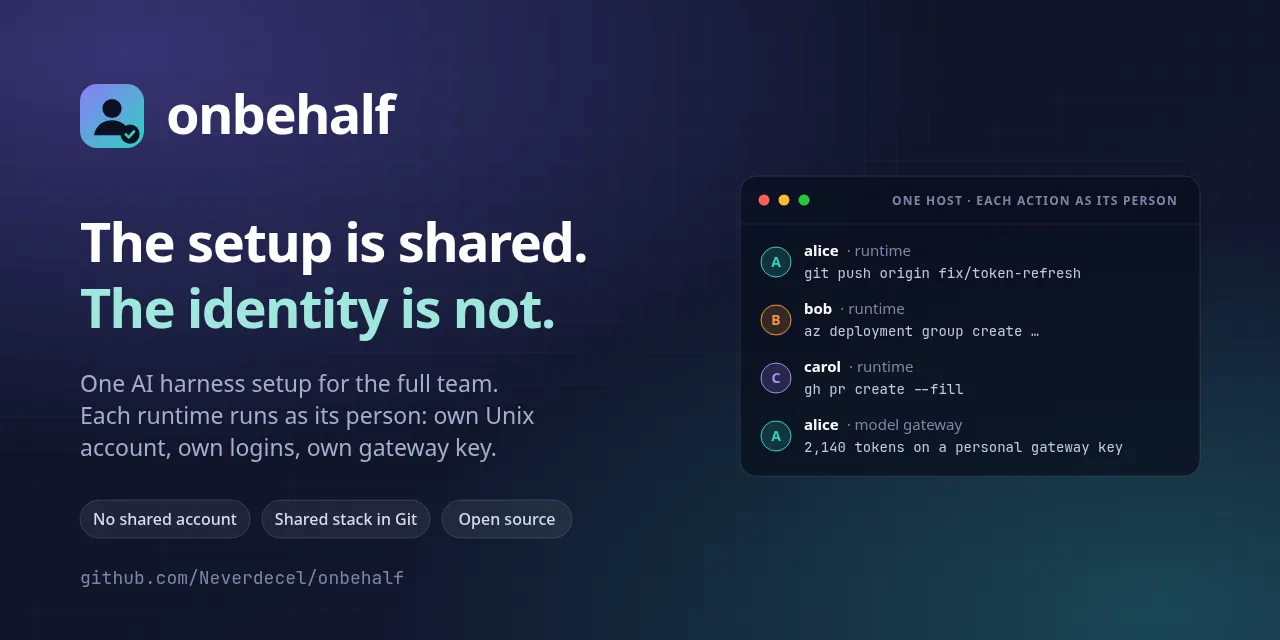
An AI harness can write code, push commits, open pull requests and change cloud resources. Each of these actions has an owner. When the action goes wrong, the team must know who did it.
The answer must be simple. The runtime acts on behalf of the user who started it. It is not an identity of its own.
The runtime is not an identity
A runtime is the running instance of the AI harness for one user. It has a service, sessions, a history and a state. It does not have an account, a login or a key of its own.
When alice starts a runtime, the runtime uses the account of alice, the
files of alice and the logins of alice. Git records the commit as
alice. GitHub shows the pull request from alice. The model gateway
records the tokens on the gateway key of alice.
Thus alice is responsible for the action, as for an action that alice does
by hand. The runtime is a tool of the user. It is not a team member.
Two usual setups, and their problems
Most teams start with one of two setups.
A setup on each laptop. Each user keeps the settings, the instructions, the skills and the model access on a laptop. The actions show the correct user. But an improvement stays with one user. A new team member starts from zero. Nobody knows which models the team uses, or the cost.
One shared account on a host. The team puts one setup in one account. All users use it. Now the team has one setup, but the identity is gone:
- Git, GitHub and the cloud record each action as the shared account.
- Each user can read the credentials of all the other users.
- When a user leaves, the team must change each secret.
The team must not select between a shared setup and a personal identity. It must get both.
One shared setup, one identity for each user
onbehalf gives a team one reviewed setup on one shared Linux host. It keeps the identity of each user separate. It works at the Unix layer: accounts, permissions, links and services.
The setup has three levels. Each level has a different owner:
- The shared stack. The team keeps the harness settings, the harness
instructions, the skills and the model catalog in Git. The team reviews
each change. The operator runs
onbehalf stack installto make it current. Each user gets it read-only. - The personal configuration. Each user can override the shared stack in their own account.
- The project configuration. The configuration in a repository has the highest priority.
The runtime of each user runs in the Unix account of that user. Each user logs in to each work tool, for example Git, GitHub CLI and Azure CLI. onbehalf does not log anybody in, and it does not keep a credential.
One gateway, one key for each user
The model gateway keeps the provider key of the team. Only the gateway can read it. Each user gets a personal gateway key.
This gives the team three results:
- The gateway records the model use and the cost of each user.
- The gateway key controls which models a user can use.
- No user can read the provider key.
onbehalf report shows the requests, the tokens, the cost and the failures
for each user and model. It never shows what a user asked.
What the runtime cannot do for you
The runtime is not a sandbox. It can do all that the user can do, with the files and the logins of that user. onbehalf keeps users apart from each other. It does not limit a user.
Unix permissions, the gateway key and the external systems control access. The rules of a custom agent only guide the runtime. They are not access control.
When a user leaves
The operator runs sudo onbehalf user remove bob. onbehalf does these
steps:
- It stops the runtime of
bob. - It revokes the gateway key of
bob. - It removes the home directory with the credentials of
bob. - It removes a local account.
Nobody shared a secret with bob. Thus the team has no secret to change.
alice and carol continue to work.
Try it
onbehalf is an early MVP, and it is open source under the Apache License 2.0. It supports Ubuntu and Arch Linux, with LiteLLM as the model gateway. Since version 0.2.0, the operator selects OpenCode, Claude Code or Codex as the AI harness of each host.
Read the README for the quick start. Read how it works for the layers, and the FAQ for frequent questions.